 KnowledgeTech
For Dominion-based businesses, ministries and organizations/agencies
The Kingdom Business Operating System
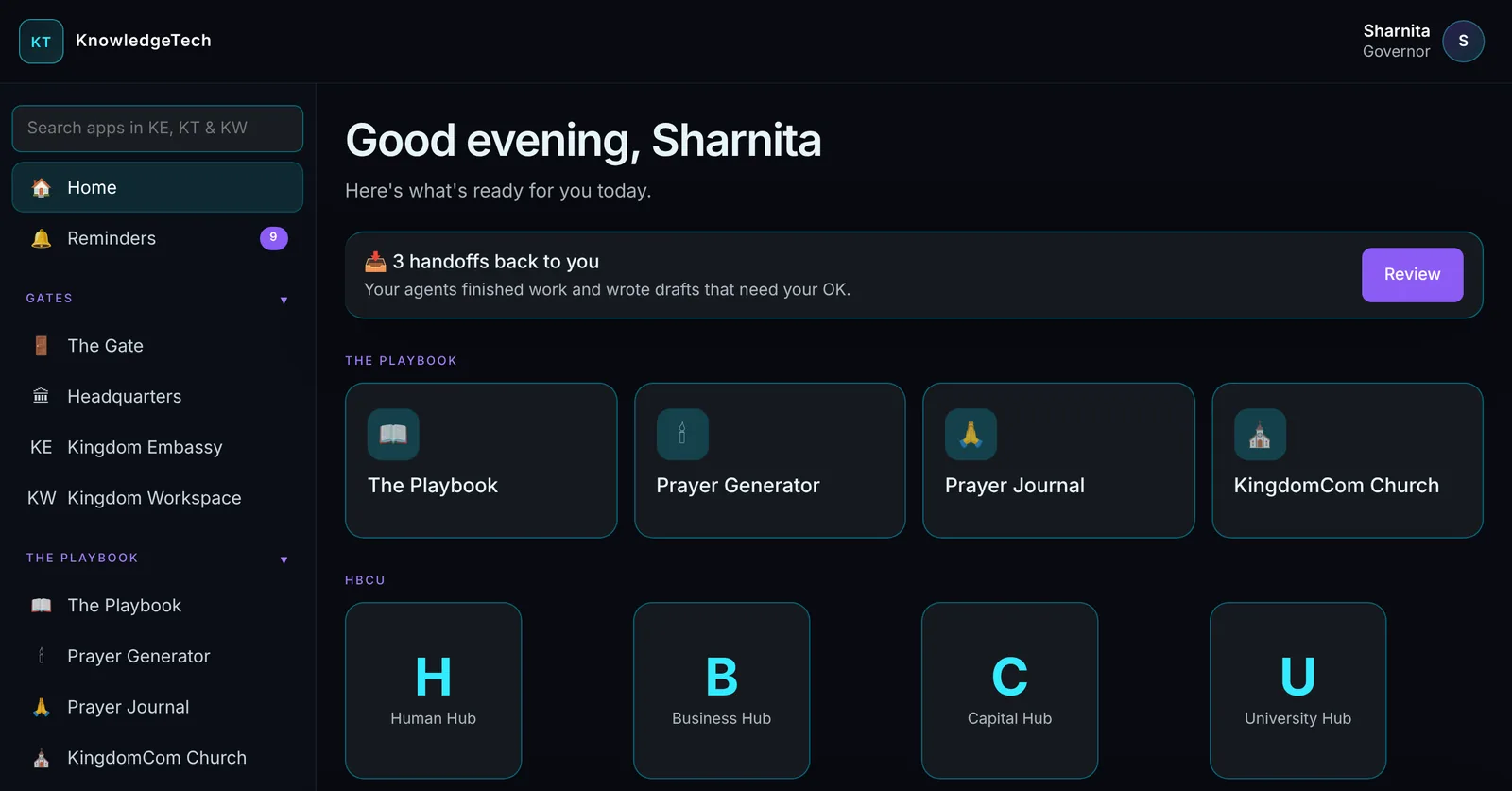
Plan your goals, sell your offers, manage your money, lead your team and keep learning, all in one workspace under 100% governed control. Your plan, your lessons, your seats and your contributors stay with you after the class ends.
No card needed · Plans from $0 a month · Not sure yet? Take the free 5-minute assessment or book a demo.
Who it's for
People building in one of our four system areas (Human, Business, Capital and University) who are tired of starting over and want to reach mastery.
Business owners who keep getting turned away
You've been told you're not ready for the room. KnowledgeTech walks with you from beginner to mastery, one step at a time, until you are.
Ministries and churches
Run programs, giving, volunteers, events and outreach with the same order and care as a business.
Leaders building a team
Add your people, pay your team from project sales instead of payroll, and hand the busywork to AI helpers.
The problem: the asset (human capital) leaves and the clock resets
Most owners get help in pieces: a coach here, a course there, an app on the side. When the class ends or the coach moves on, the progress goes with them, and you're back where you started.

“I served more than 300 businesses. I was the asset (human capital), and then I moved on, and almost nothing stayed. So I built the place where it stays.”Sharnita Gates, founder of Sharnita Gates Academy (the Ecosystem for Kingdom Embassy, KnowledgeTech and the Kingdom Workspace)
What 300+ businesses needed help with most
From the founder's own clients. KnowledgeTech covers all four in one place: HBCU, the four systems for Kingdom Order.
- Human
- 35%
- Business
- 20%
- Capital
- 20%
- University
- 25%
How it works: beginner to mastery in four steps
Each step asks for a little, gives you something real, and leads to the next. Everything you learn is saved in your workspace, so it stays.
The Door
The L.E.A.F. Assessment
FreeTwelve honest questions show where you stand across Human, Business, Capital and University, and which area to strengthen first.
The Pathway
Masterclass and L.E.A.F. Leadership Formation
Free class, then $297Learn from people who have mastered each area, in a live cohort with a leader beside you.
The Tree
Your KnowledgeTech workspace
From $29 a monthYour plans, people, offers, money and learning grow in one place, so nothing you learn gets lost.
The Team
Kingdom Workspace
IncludedBuild a team that's paid from project sales instead of payroll, and multiply what you started.
What's included
Every plan comes with the whole system: The Bible at the center, then HBCU, the four systems for Kingdom Order (Human, Business, Capital and University). Here's what you can do on day one.
WThe Bible
- The Bible, live from YouVersion, in the version you choose
- Biblical Commands and Biblical Routes for life and business
- Message Notes, a Prayer Journal and a Prayer Generator
HHuman Hub
- Contacts and leads, with notes, tags and follow-ups
- Email to one person or a whole list, with ready-made follow-up sequences
- Texts to one person or a group, sent from the app or from your own phone
- Your goals, habits and journey
- A private health vault behind a passcode
BBusiness Hub
- Offers, products and services with one-time, monthly or yearly prices
- Checkout pages that take card payments through Stripe
- Proposals with deposits, orders and a print-shop queue
- Forms, sales pages and funnels, with a Full Funnel view
- Bookings with Zoom links, calendar invites and reminders
- A social media content calendar
CCapital Hub
- Money in and money out, by business
- Savings goals, debt payoff and giving
- Investments and a private Wallet
- Scope Guard: price the work before you start, so you don't overpour
UUniversity Hub
- Courses with lessons, quizzes and saved progress
- Programs, trainings and live events
- Communities and public rooms
- Sell what you teach, or give it as a gift
✓Running it all
- Goals → Projects → Milestones → Tasks, all in order
- My Week, a board and a timeline, plus Print my week
- AI helpers that draft and organize, and wait for your OK
- Your team, with seats, guests and free Contributors
One login instead of a pile of apps
Most owners pay for a different tool for every job, and none of them talk to each other. In KnowledgeTech, it's one place, and everything connects.
When a lead books a call, they're already in your contacts. When they buy, the order, the payment and their course access are all there. When you plan your week, every business is on one list.
What it brings together
- A contact manager (CRM)Human Hub
- An email marketing toolHuman Hub
- A texting serviceHuman Hub
- A booking calendarBusiness Hub
- A form and funnel builderBusiness Hub
- Checkout and invoicesBusiness Hub
- A social media plannerBusiness Hub
- A money and budget trackerCapital Hub
- A course platformUniversity Hub
- A project and task managerMy Week
- An AI assistantAI helpers
- A Bible and prayer appThe Bible
AI helpers that stay on the job
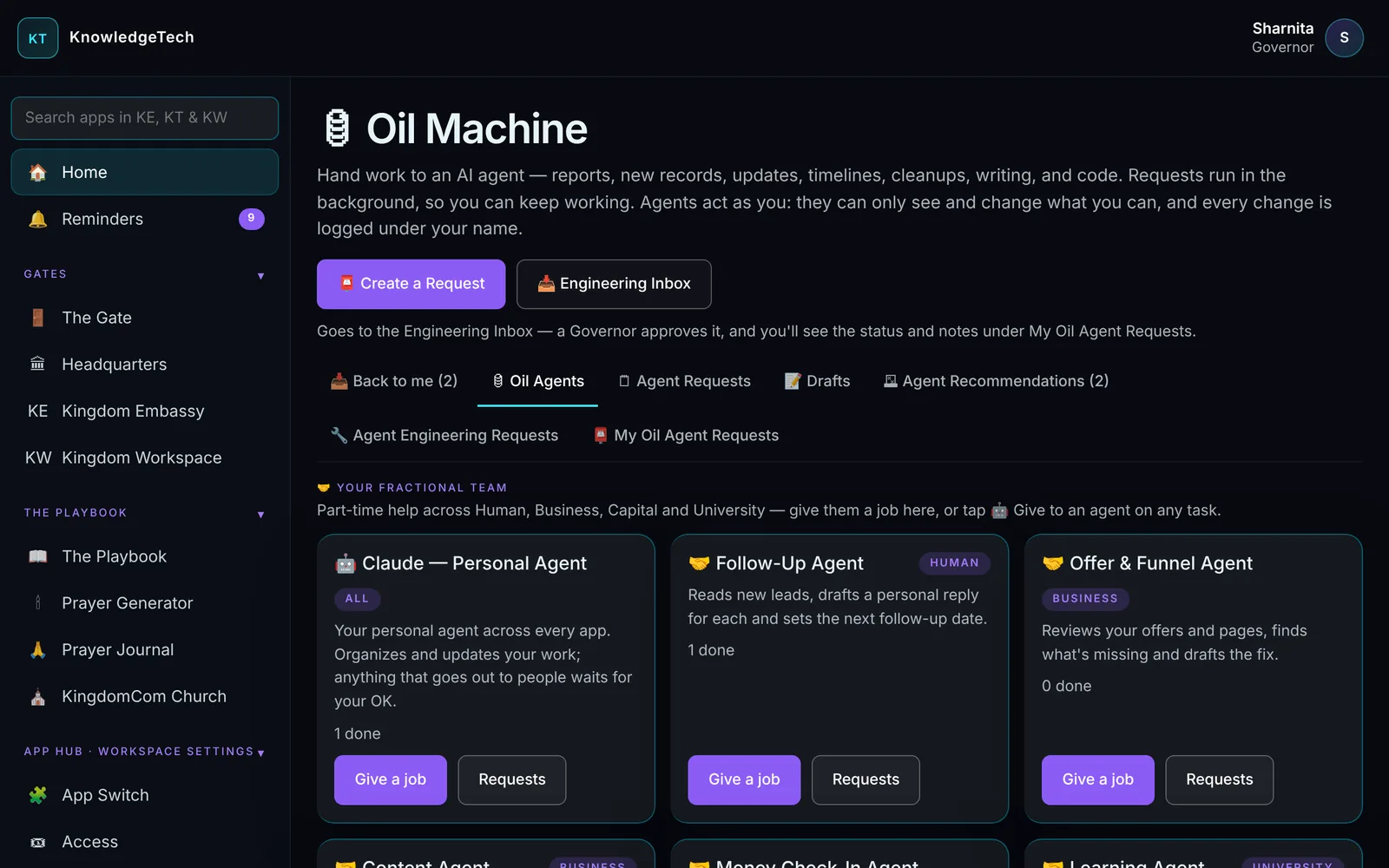
Hand any task to your team of AI agents. They draft, organize and report back, and you stay in charge.
- Tap “Give to an agent” on any task and say what you want back.
- They work every weekday morning, or right away when you ask.
- Results come back to you for an OK. Approve it, or send it back with what to change.
- Anything that goes out to people or touches money waits for you.
Your week, finally in order
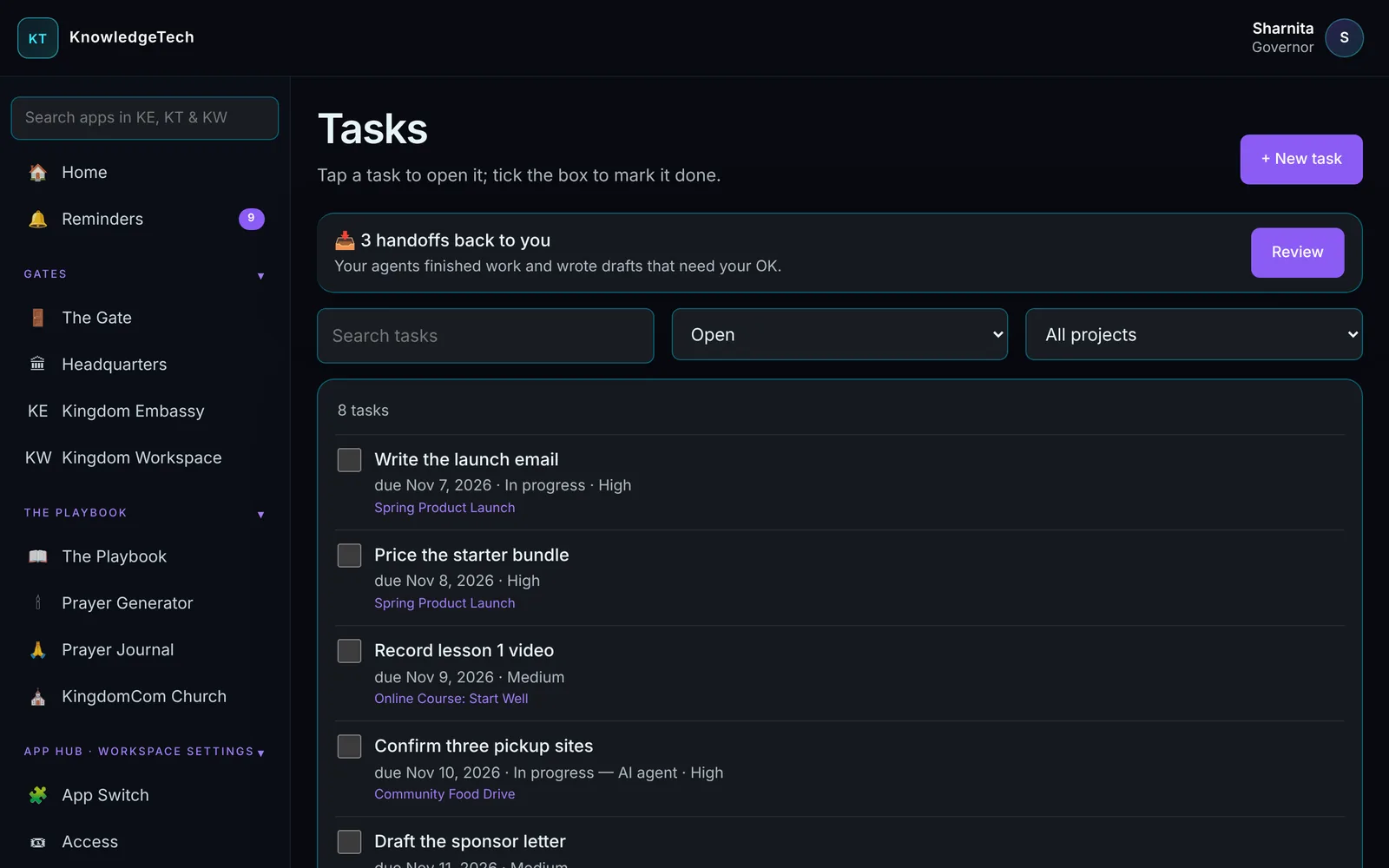
Goals become projects, projects become tasks, and tasks land on the week they belong to, at a pace you can keep.
- One list for every business and ministry you run.
- Bookings and demos get a Zoom link, a calendar invite and reminders on their own.
- Offers, proposals and payments connect to the people they're for.
- Scope Guard helps you price the work before you start, so you don't overpour.
What happens after you sign up
No guessing. Here's your first week.
- Minute one
Pick a plan and enter your name and email. No card. We email you a link to set your password.
- Day one
Sign in and add your business or ministry. Take the L.E.A.F. Assessment, and your results become a personal journey waiting in your workspace.
- Days two to five
Add your offers and contacts, and turn on bookings and forms. Each app shows you the next step.
- Day 14
Choose monthly or yearly. If you don't, your workspace pauses and nothing is deleted.
Set it up yourself
Free with every plan, with plain-words guides in the apps.
Set it up together
Book a free 30-minute demo and we'll start your workspace with you on Zoom.
Book a demoHave it done for you
Kingdom Systems Setup: we build your business or ministry in about two weeks.
Ask about setupSafe, private, and made for real life
Your workspace is sealed
Every workspace is walled off from every other one. Only people you add can see anything, and only what you let them.
Private records stay private
Health and Wallet records belong to the person who owns them, and the health vault sits behind its own passcode.
Payments through Stripe
Card payments go through Stripe's secure checkout. We never see or store card numbers.
Works where you work
Any browser, on a phone or a shared library computer. Nothing to install. Simple mode, Print my week, and a sign-out-everywhere button.
You stay in charge
AI helpers only draft. Nothing goes to people and no money moves without your OK.
No contracts
Pay monthly or yearly and cancel anytime. Your work is kept if you pause.
Proof, not promises
We're new, so here is exactly what's real today.
businesses served by our founder across Human, Business, Capital and University
today: the four Hubs, payments, bookings, forms, courses, Zoom links and AI helpers
Founding spots: the first 50 owners and ministries get 90 days free and help shape what's next
to start: a 14-day free trial with no card, or a free 5-minute assessment
Bring your organization or agency to be considered for one of our Founding 50 spots!
Pricing: pick a plan, 14 days free
Every plan starts with 14 days free, with no card needed, and you can cancel anytime. Not sure yet? Book a free demo first.
Loading plans…
Not ready for a plan? Start free.
A free Contributor account gives you The Bible, public rooms and communities, and anything someone shares with you. When you're ready to plan your own work, pick a plan.
Start your free trial
“And he shall be like a tree planted by the rivers of water, that bringeth forth his fruit in his season; his leaf also shall not wither; and whatsoever he doeth shall prosper.”
Psalm 1:3 (KJV)Questions
Where should I start?
With the free L.E.A.F. Assessment. It shows which of HBCU, the four systems for Kingdom Order, to strengthen first, and your results build a personal journey that's waiting for you when you open your workspace.
Is KnowledgeTech only for churches?
No. It's for anyone building a life, a business or a ministry. It's built on biblical principles, and The Bible sits at the center of every workspace.
Do I need a card to start?
No. Your trial is free for 14 days. Before it ends, you choose monthly or yearly payment, and you won't be charged until the trial is over.
What happens if I don't choose a plan?
Your workspace pauses when the trial ends. Nothing is deleted. Choose a plan anytime and everything is right where you left it.
Who can see my information?
Only the people you add to your workspace, with the access you give them. Health and wallet records are private to the person who owns them, and every workspace is sealed off from every other.
What are KE, KT and KW?
Three Gates on one platform. KnowledgeTech (KT) holds your apps. Kingdom Workspace (KW) is where the day's work happens: schedule, streets, timeline and rooms. Kingdom Embassy (KE) is where the platform is governed. One sign-in opens the Gates your access allows.
Can you set it up for me?
Yes. With Kingdom Systems Setup, we set up your business or ministry with you in about two weeks. Or start on your own today with the free trial.
Is there a contract?
No. Pay month to month or yearly (yearly gets 2 months free), and cancel anytime from Billing.
Are there extra fees?
Your plan price covers the software. When you sell online, Stripe's standard card processing fee comes out of each payment, the same as anywhere else that takes cards.
I already use other tools. Can I switch?
Yes. Add your contacts, then your offers, courses and forms one at a time. On a demo, we'll help you decide what to move first.
Does it work on my phone?
Yes. It runs in any web browser on a phone, tablet, laptop or library computer, with nothing to install. You can even export contacts to a flip phone.
What's the difference between a seat and a free Contributor?
A seat is a full member who plans and creates their own work. A free Contributor can read The Bible, join public rooms, and work on what you share with them as a Viewer or Editor. Personal includes 3 free Contributors, Business 10, and Organization 50.
Can I text my contacts?
Yes. Text one person or a whole group, two ways: from your own phone (free, it opens your messages app with the text filled in) or from the app with your own KnowledgeTech texting number. Personal includes 50 texts a month, Business 250 and Organization 1,000. Only people who said yes to texts get them, and anyone can reply STOP.
How many emails can I send?
Personal includes 100 emails a month, Business 500 and Organization 1,500. You can see how many you've used under Plan & billing and in Contacts.
Can I add my team?
Personal is for one person, Business includes 5 people, and Organization includes 25. Guests who only use your public spaces don't count as seats.